
Choose which emails you receive
For: every role. You change your own preferences, not those of other users.
Change your choices
Section titled “Change your choices”- Open your account menu and choose Settings.
- Select Notifications.
- Use Email notifications to switch optional activity emails on or off.
- Review the categories below it, such as ticket updates, announcements, news, and newsletters. Only choices available to your role are shown.
- Select Save Preferences and wait for confirmation.
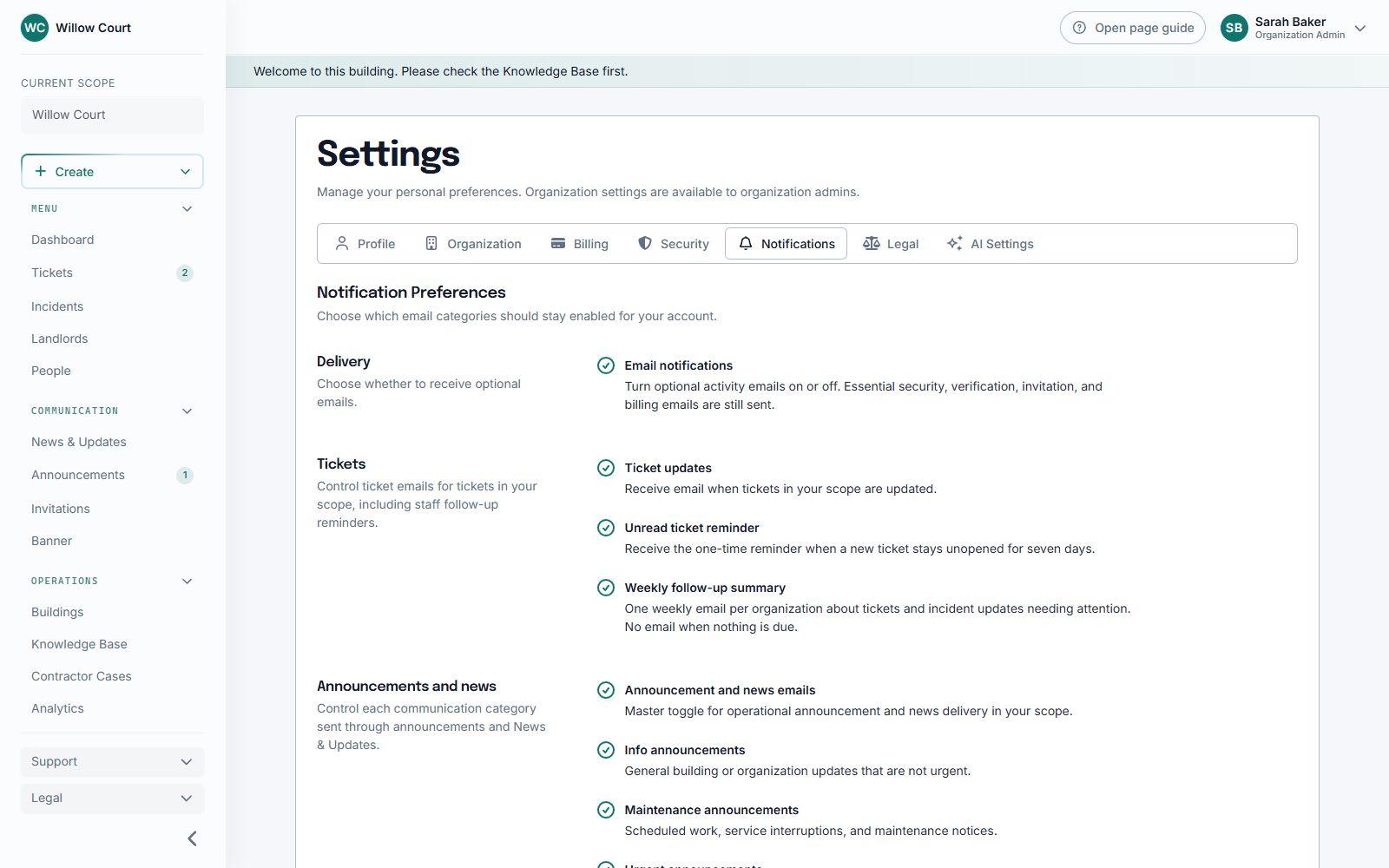
Turning off email does not hide tickets or building updates inside Sicket. You can also use the unsubscribe link in an optional email where one is provided.
Why do some emails still arrive?
Section titled “Why do some emails still arrive?”Security messages, verification, password resets, invitations, and necessary billing or account messages are separate from optional activity emails.
Staff reminders
Section titled “Staff reminders”The follow-up summary is weekly, not one email every day for each overdue item. It is sent only when eligible work needs attention, at most once per staff member per organization per week.
A new comment, reply, or published announcement can still generate a separate event-based email. Notification preferences and access rules apply. A weekly summary is not a promise that all email is bundled into one message.
An unread-ticket reminder is a separate, one-time reminder after a new ticket remains unopened for seven days.
Missing an expected email?
Section titled “Missing an expected email?”Check your spam folder, your saved email address, and the relevant notification category. You are not normally emailed about your own activity. Ask staff if you no longer have access to the building or ticket.