
Change your profile picture
For: tenants, landlords, Observers, and organization admins.
Add or change your photo
Section titled “Add or change your photo”- Open your account menu at the top of Sicket. On a phone, use the profile button in the top bar.
- Choose Settings, then Profile.
- Under Profile picture, choose Upload picture. If you already have a photo, choose Change picture.
- Select a PNG or JPG/JPEG image, up to 5 MB.
- In Review image, adjust the square crop. Use Zoom, drag the picture to reposition it, or use the rotate buttons.
- Choose Use image and wait for the success message.
The picture saves separately from your other profile details. You do not need to press Save changes again for the picture.
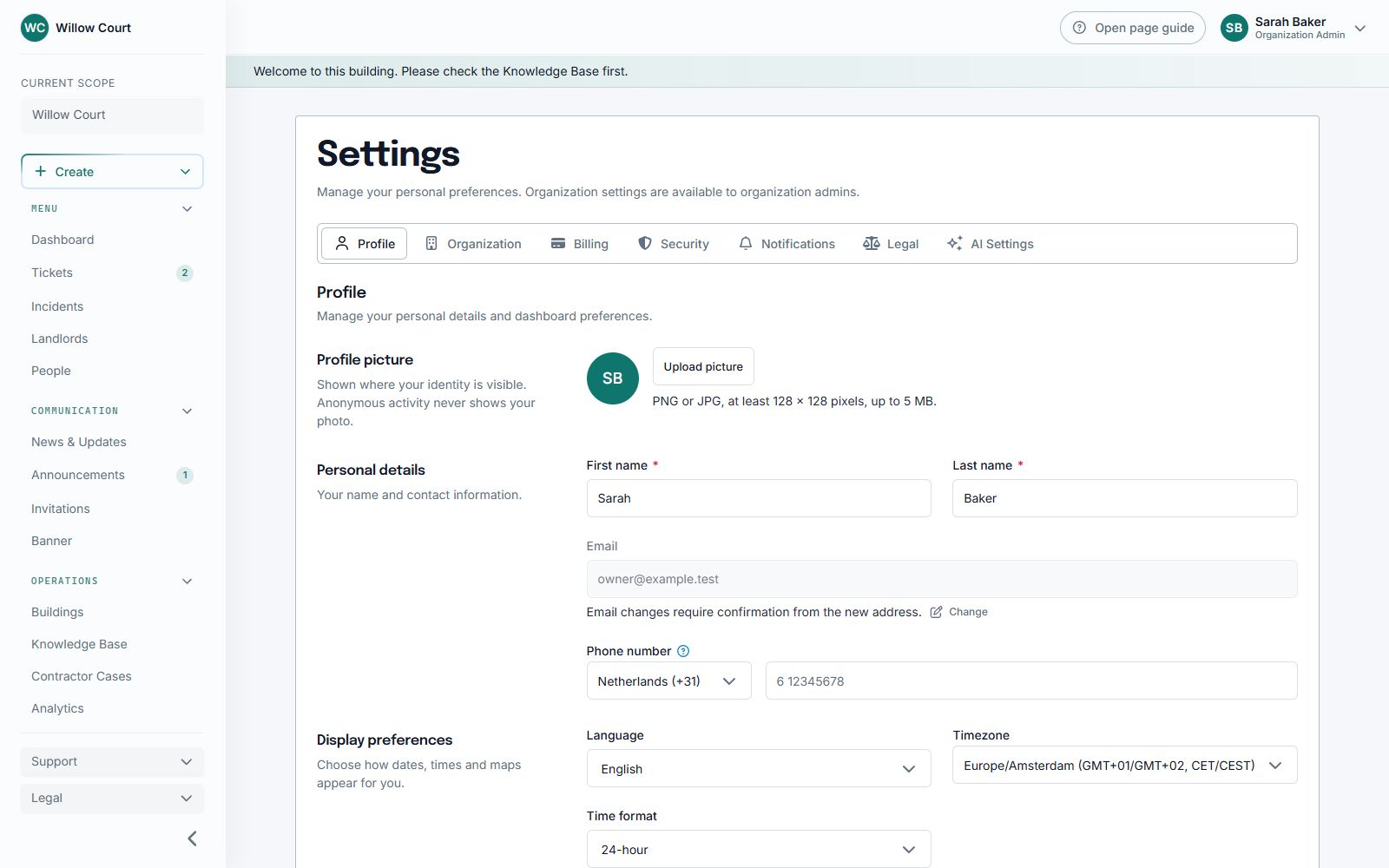
Select the screenshot to open it at full size. The names and details are fictional.
Remove your photo
Section titled “Remove your photo”Choose Remove picture beside your photo and confirm. Sicket shows your initials instead. This does not remove your account.
If the picture does not upload
Section titled “If the picture does not upload”- Use a JPG or PNG rather than HEIC, PDF, or a video.
- Choose a file smaller than 5 MB.
- Wait for the upload to finish before closing the page.
- If it still fails, try again when your internet connection is stable.
Your photo is used where your identity is visible. It does not reveal your identity on anonymous posts to residents.