
Add, edit, or remove homes
For: organization admins and landlords assigned to the building.
A residential unit is one physical home, not one person. Two people sharing apartment 3 use the same home record. An empty home stays available for the next resident.
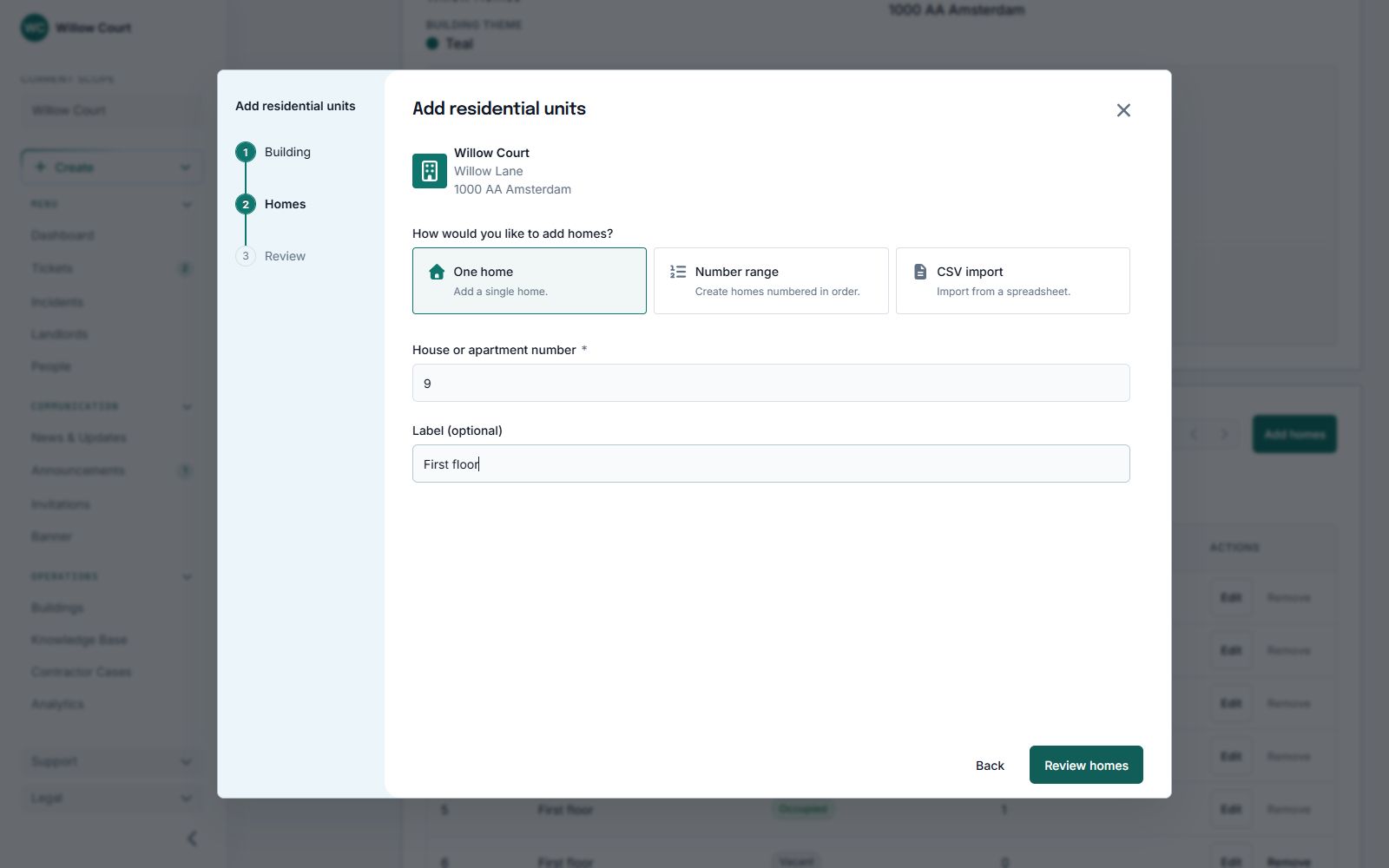
Add one home
Section titled “Add one home”- Open Buildings and select the building.
- Find Residential units and choose Add homes. You can also use Create > Residential units in the sidebar.
- Confirm the building and choose One home.
- Enter the house or unit number, such as 3B.
- Optionally add a short label, such as First floor.
- Review the result and choose Add home.
Do not put a resident’s name or private information in the label.
Add a number range
Section titled “Add a number range”Choose the number-range option. Enter the first and last numbers, then choose all, odd, or even numbers as appropriate. Use a prefix, suffix, or minimum digits only if they are part of your home’s numbering.
For example, odd numbers from 1 to 7 create 1, 3, 5, 7. Check the preview before adding anything.
Import a CSV file
Section titled “Import a CSV file”Use a CSV with a required unit_number column and an optional label column:
unit_number,label1,Ground floor2,Ground floor3B,First floorPreview the rows first. Existing duplicates are skipped. Correct invalid rows or plan-limit problems before confirming. Each batch can contain up to 2,000 rows.
Adding homes is optional during building setup. You can also create a home from an invitation or while approving a home request.
Find residents or edit a home
Section titled “Find residents or edit a home”Use the search field in Residential units. Select the resident count beside a home to see its residents. Choose Edit to correct its number or label, then save.
Changing a shared home’s label changes that home record for everyone who occupies it. Use a resident’s assignment or home-change request when the resident belongs in a different home.
Remove an unused home
Section titled “Remove an unused home”Choose Remove and read the confirmation. Removal is only available when the home has no active residents, pending targeted invitations or assignment requests, linked tickets, or occupancy history.
If removal is blocked, do not create duplicate accounts or erase history to work around it. Correct the home or move the relevant resident through the normal process instead. Moving out the last resident does not erase the home’s history.
Limits and privacy
Section titled “Limits and privacy”Your plan counts managed homes, not tenant accounts. Adding a resident to an existing home does not consume another home slot. A safety limit prevents more than 10 active residents per home; pending targeted invitations also reserve places.
Tenants and Observers cannot browse this inventory or its resident counts. Sharing a home does not give residents access to each other’s personal tickets or attachments.