
Handle tickets as staff
What this guide helps you do
Section titled “What this guide helps you do”Use the Tickets page and ticket detail page to manage tenant requests.
Who can do this
Section titled “Who can do this”Organization admins and landlords with access to the selected building.
Where to find it in Sicket
Section titled “Where to find it in Sicket”Go to Tickets.
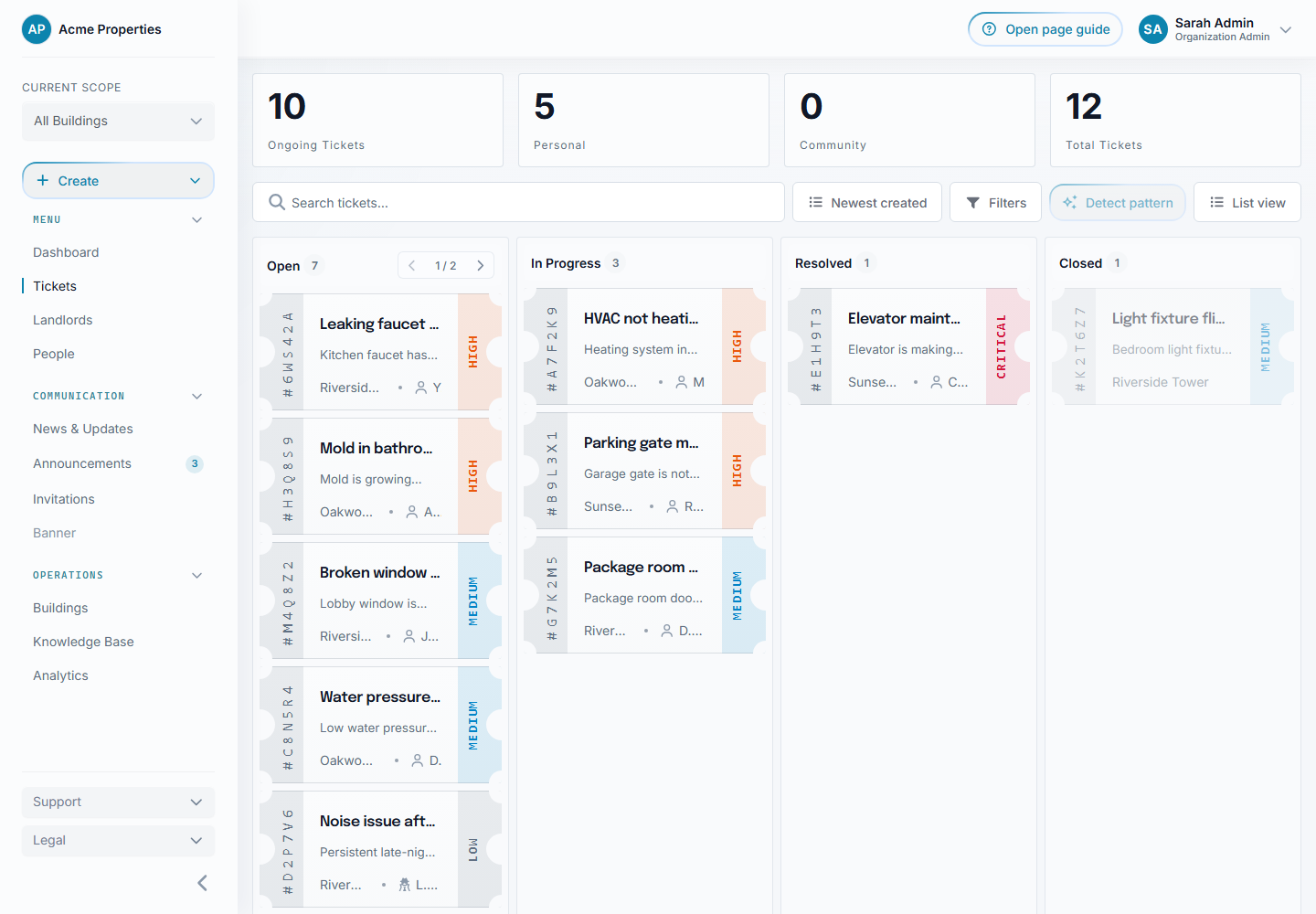
Select the image to enlarge it. The example uses fictional data.
Step-by-step
Section titled “Step-by-step”- Open
Tickets. - Choose list view, compact table view, or board view.
- Use filters and sorting to find relevant tickets.
- Open a ticket.
- Review the title, description, type, priority, category, and attachments.
- Add a public comment when the tenant should see the reply.
- Add an internal note when only staff should see it.
- Update the status when work progresses.
- Resolve the ticket when the issue is handled.
Views and list controls
Section titled “Views and list controls”List view uses ticket-style cards and works well for scanning summaries.
Compact view uses a configurable table. You can show, hide, resize, move, sort, and reset columns. Column choices persist in the browser. Use Print to create a concise report of the visible columns.
Board view groups active work by status. Column height adapts to the available screen and loads enough tickets to use the space.
Use the unread filter for New and New update records. Read all marks every matching unread ticket in the current scope as read, not only the current page.
Field-by-field explanation
Section titled “Field-by-field explanation”Status shows where the ticket is in the workflow.
Priority helps staff triage urgency.
Category groups the operational issue.
Comments are part of the tenant-visible discussion.
Internal notes are staff-only.
Ticket referrals link related tickets.
Attachments can include supporting files, subject to upload checks and storage limits.
Comments support replies. Authors can edit or delete their own comments while the ticket is writable, and staff can remove inappropriate tenant comments. Edited comments are labelled.
Actions on the detail page include supported edit, status, sharing, deletion, and print actions. Resolved and closed tickets are read-only.
What happens next
Section titled “What happens next”Tenants see status changes and public comments where they have access to the ticket.
Common issues
Section titled “Common issues”If a tenant cannot see a community ticket, check ticket type, building, and visibility.
If a comment is long, use read more controls to expand older content.